TimeBanks.org's outdated design, fragmented content, and lack of interactivity made it difficult for users to find local TimeBanks, trust the platform, and stay engaged. How might we redesign TimeBanks.org to create a trusted platform that empowers people to exchange time and boost community connections?
PROBLEM
RESEARCH SUMMARY
Evaluating usability
through heuristic Analysis
We conducted a heuristic evaluation of the existing TimeBanks.org website. Findings informed our redesign decisions to create a clearer, more engaging experience.
Lack of Interactivity: Pages feel static, lacking interactions that encourage user participation.
Inconsistent Design Elements: Visual inconsistencies disrupt flow and credibility.
Key Issues
Finding TimeBanks: Users struggled to find TimeBanks from the lack of a clear search feature.
Inefficient Navigation: Unclear hierarchy made it difficult for users to locate essential resources.
Information Overload: Excessive text made it hard for users to absorb key information.
Readability Issues: Poor text hierarchy and typography choices reduced accessibility.
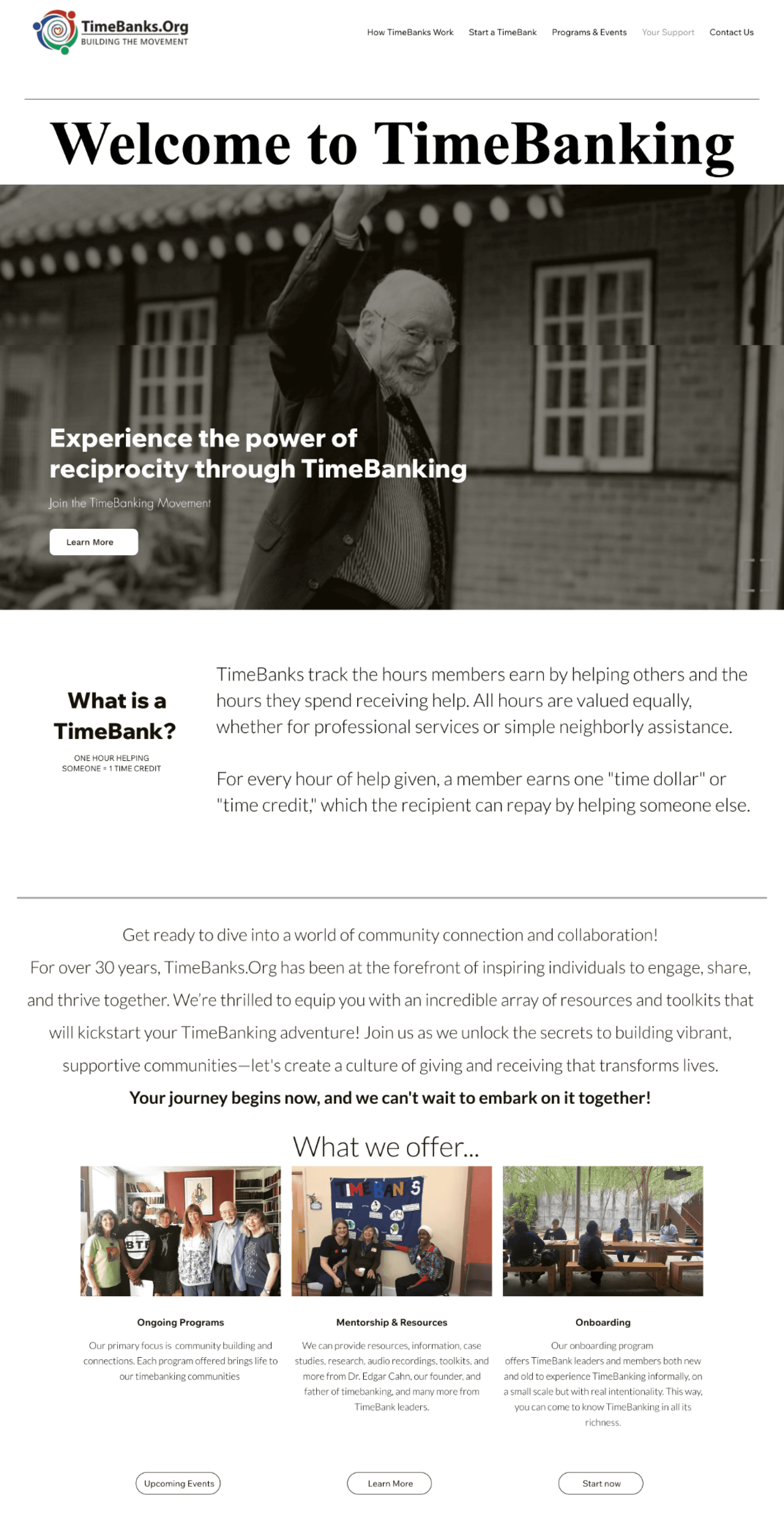
Nav bar didn’t show
a donation / support
us button.
Text-heavy sections
lacked visuals to help users quickly grasp concepts
Hero Sections and
CTA buttons were not
informative enough
Unorganized Content with poor demarcation and no content hierarchy
An example of a heuristic analysis — the homepage
Timeline
4 months
Team
Sebastian Mesa
Nhi Huynh
Cameron Toy
Tools
Figma Design
FigJam
Jira
Figma Make
My Role
UI & UX Design
User Research
JUMP TO SOLUTION!
TimeBanks.org
Modernizing a volunteer-driven platform to rebuild trust
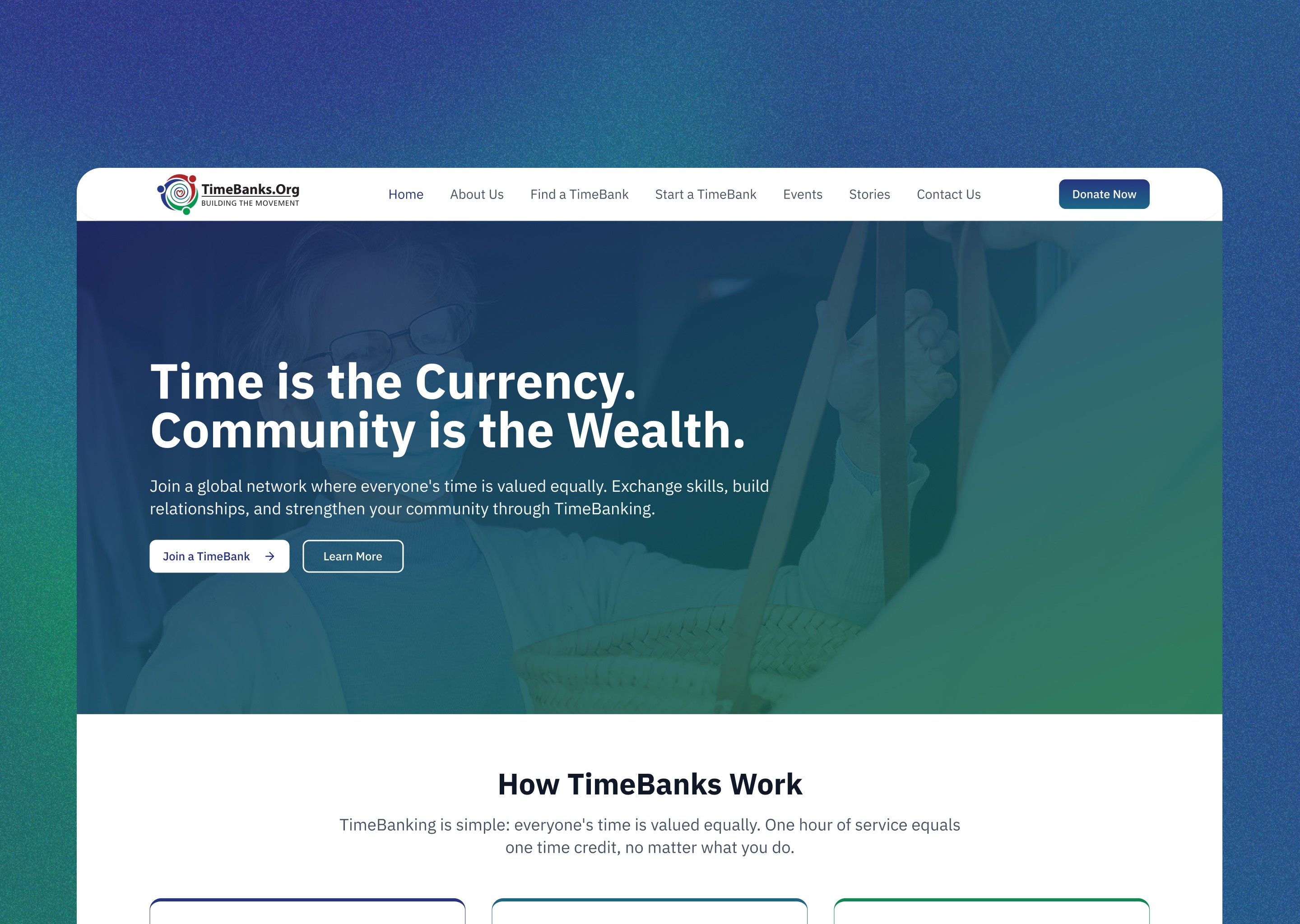
In Fall 2025, I volunteered for Develop for Good, an organization that connects students with non-profits to work on real-world tech projects. Operating on an outdated platform, our challenge was to reimagine TimeBanks.org into a modern, interactive, and trustworthy space for community-building and volunteer exchange.
Benchmarking Best Practices:
Competitive Analysis
In our competitive analysis, we examined platforms such as WikiCharities and Findhelp.org to understand how modern non-profit organizations present resources and engage communities. I evaluated usability, information architecture, and featuer accessibility, identifying strategies that enhance trust, discoverability, and user participation.
Design Imperatives: Key Implementations
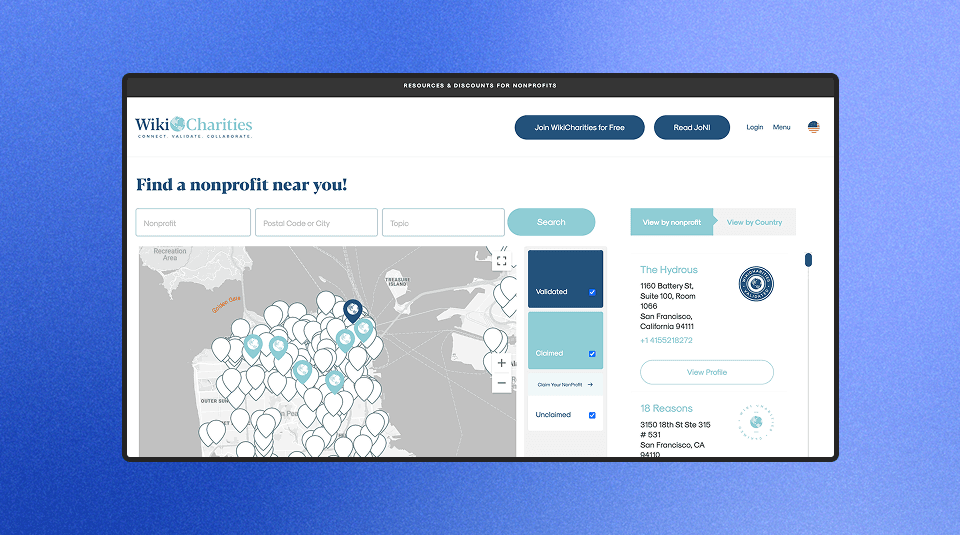
WikiCharities.org
Low Readability: Light text colours reduce contrast and make reading difficult.
Searchable Map: Users can search by name, zip code, or topic directly from the homepage.
Multi-step Submission Process: Claiming a non-profit requires many steps, creating friction.
Clear Info Delivery: Presents content concisely, reducing text overload e.g. a visual timeline.
Laggy User Interface: Map interactions feel delayed and sluggish.
Consistent Branding: Maintains a cohesive visual identity across pages.
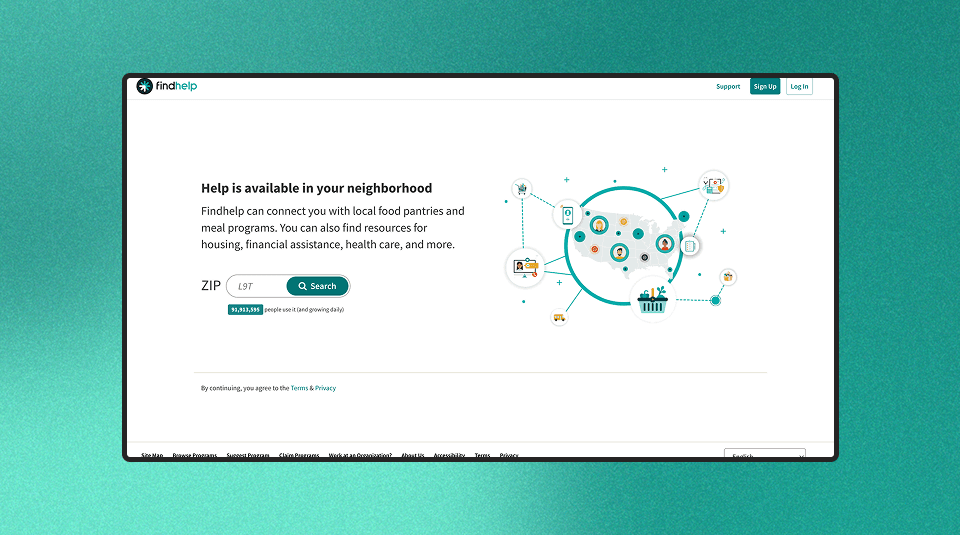
Findhelp.org
Audience Misalignment: Some sections target paid users, alienating social-care audiences
Straightforward Multi-step Process: The site begins with prompting user to input zip code.
Barrier to access: Requiring ZIP code entry before viewing content creates friction.
Clear Info Delivery: Presents content concisely, reducing text overload e.g. a visual timeline.
Vague Descriptions: "About" and spotlight content lack detail and clear storytelling.
Consistent Branding: Maintains a cohesive visual identity across pages.
Vague Descriptions: "About" and spotlight content lack detail and clear storytelling.
Consistent Branding: Maintains a cohesive visual identity across pages.
Vague Descriptions: "About" and spotlight content lack detail and clear storytelling.
Consistent Branding: Maintains a cohesive visual identity across pages.
Guided Clarity
Streamline navigation and visuals to help users effortlessly find local TimeBanks and grasp key ideas at a glance.
Interactive Connection
Create engaging, hands-on experiences through filters, maps, and guided flows that make exploration feel rewarding.
Trust Through Consistency
Design a cohesive branding system, emphasizing strong contrast, and accessible typography to build trust and ensure a seamless experience.
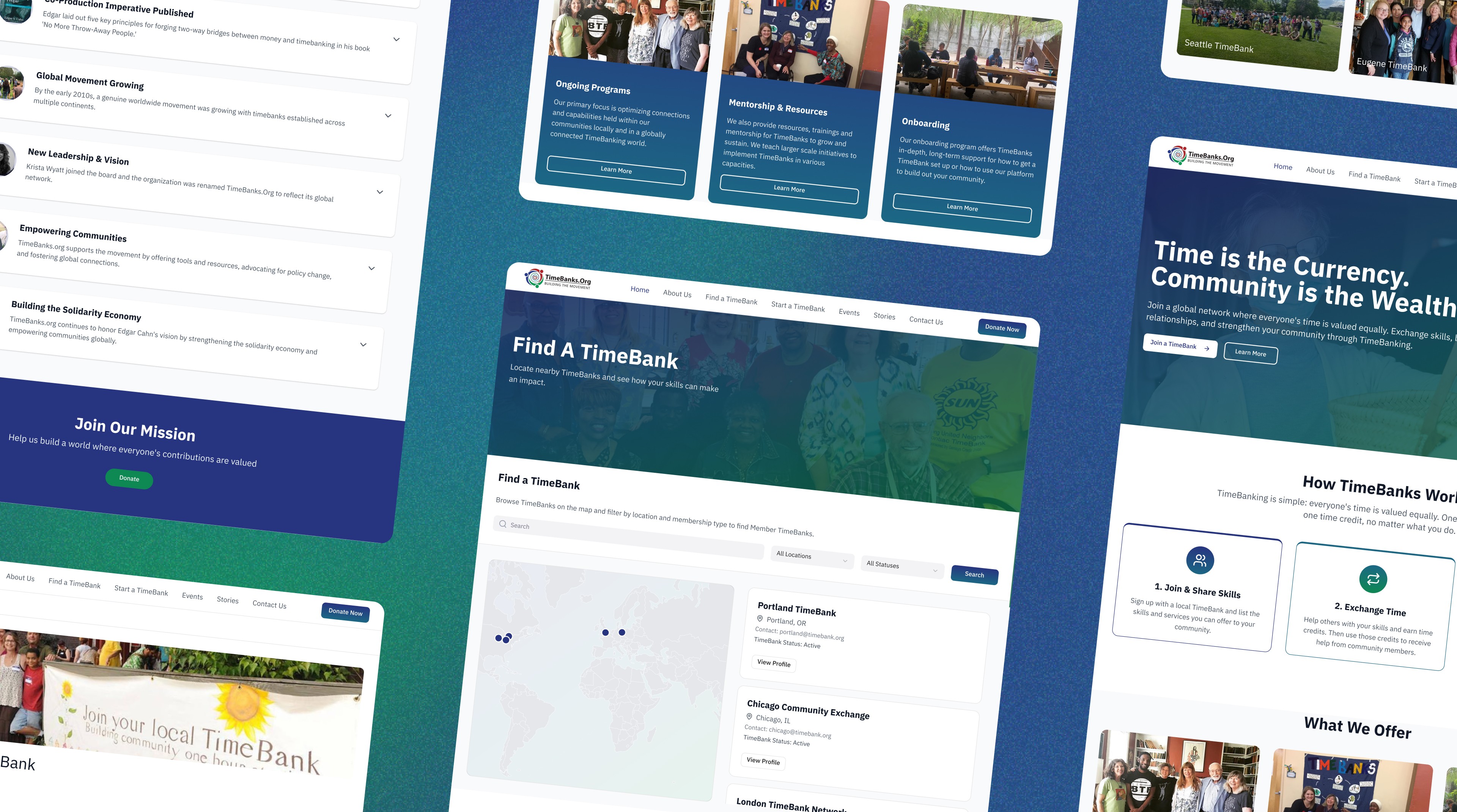
Created a reimagined web experience for TimeBanks.org that fosters community connection through intuitive pathways, interactive tools, and a modern visual identity supporting trust and inclusivity.
SOLUTION PREVIEW
FINAL SOLUTION
Creating the MVP: A re-imagined timebanking hub
A quick introduction to How TimeBanking works, paired with immediate CTAs for users to seamlessly learn more or get started
A new upfront zipcode lookup for users to instantly find a TimeBank nearby, removing time-consuming steps
Homepage
An interactive map allows users to explore different TimeBanks on a global scale, alongside a global directory
Selecting a TimeBank opens a dedicated profile page where users can access contact info, overview, and related TimeBanks
Find a TimeBank (new)
Users can browse TimeBanks worldwide using filters for location and membership status (active, new, veteran, inactive)
A clear and concise step-by-step journey outlining how to set up and operate a TimeBank
An interactive checklist giving users insight on how prepared they are to start a TimeBank, directing them to resources if needed
Start a TimeBank
Like the homepage, success stories are shared as inspiration cues for organizers to be motivated
A clear, digestible introduction that gives users a meaningful understanding of TimeBanking without overwhelming them
An interactive timeline that highlights key moments in TimeBanking's evolution; a narrative-driven way to view TimeBank's legacy
About Us

A clear CTA for donations; something that was missing before.
The addition of a community stories page.
About Us page is no longer hidden from nav bar.
Updated Navbar
New Design System & Style Guide
Exploring design gaps in TimeBanks.org to restore trust
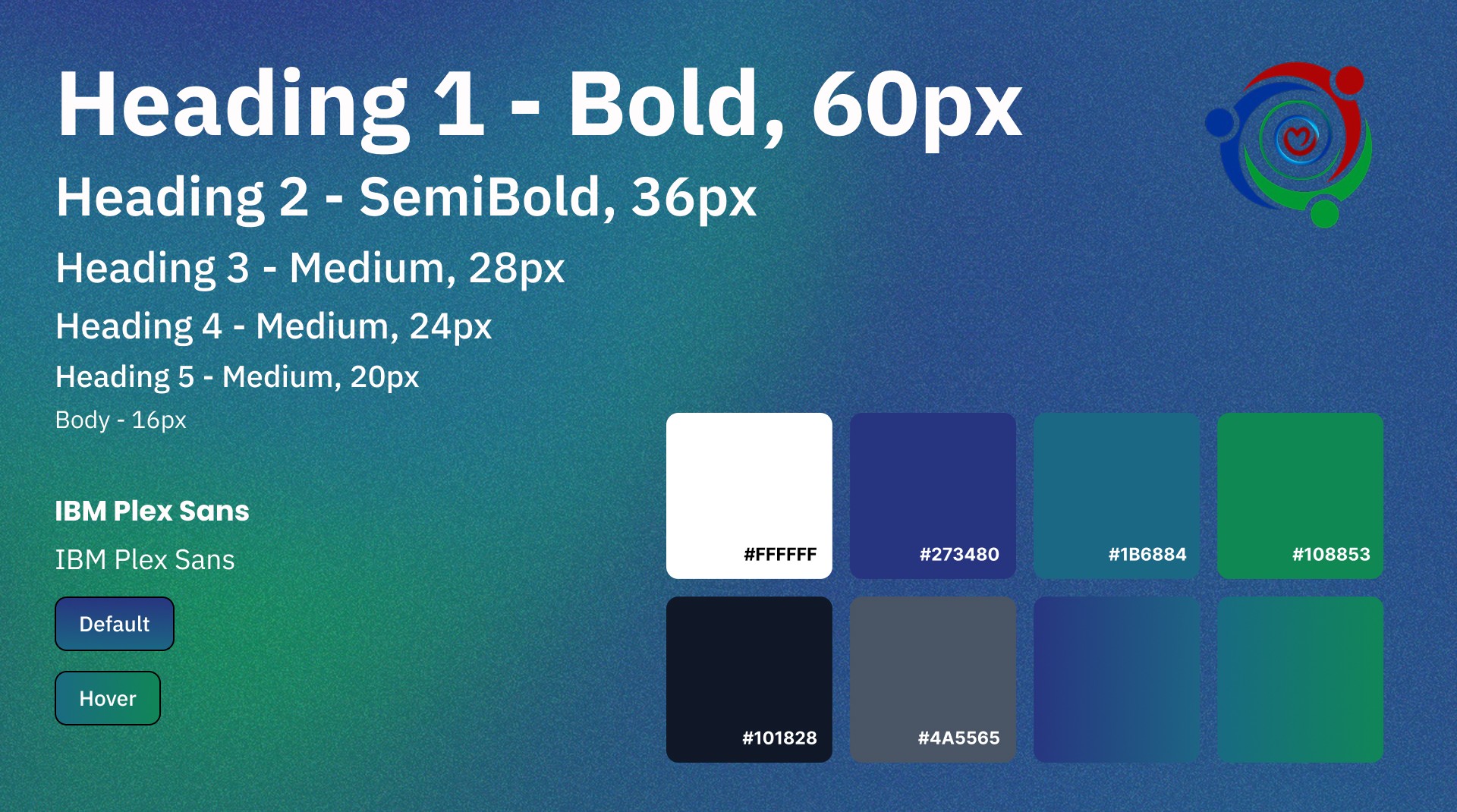
Core colors from the TimeBanks.org logo served as a foundation for a new design system. We focused mainly on blue and green hues to create a simple, calm, and reliable tone for a non-profit audience.
What I learned…
Designing with people, not just for them
Working in the non-profit space taught me how to collaborate across time zones, roles, and priorities. Navigating remote sprints with stakeholders, developers, and other designers, pushed me to trust the process and the people behind it.
Levelling my craft
A longer project meant room to experiment. I dabbled in many design resources and tutorials, helping me create more advanced prototypes. An example of this was the interactive map filter which responded dynamically to user input.


© 2025 - Ibrahim Rasheed